The process
An idea is a start.
Give it a workflow.
SEEKODA brings structure to building with AI. A clear path from what you imagine to what you can actually run.
THE FIRST MOVE IS YOURS
Start with a thought.
Give it somewhere to go.
A project begins with what you want to build. Name it, choose Desktop or Web, and give SEEKODA the context to work with. Follow the complete process through the technology choice, plan, and first AI Schematic.
From intention to execution
You set the direction.
Agents do the work.
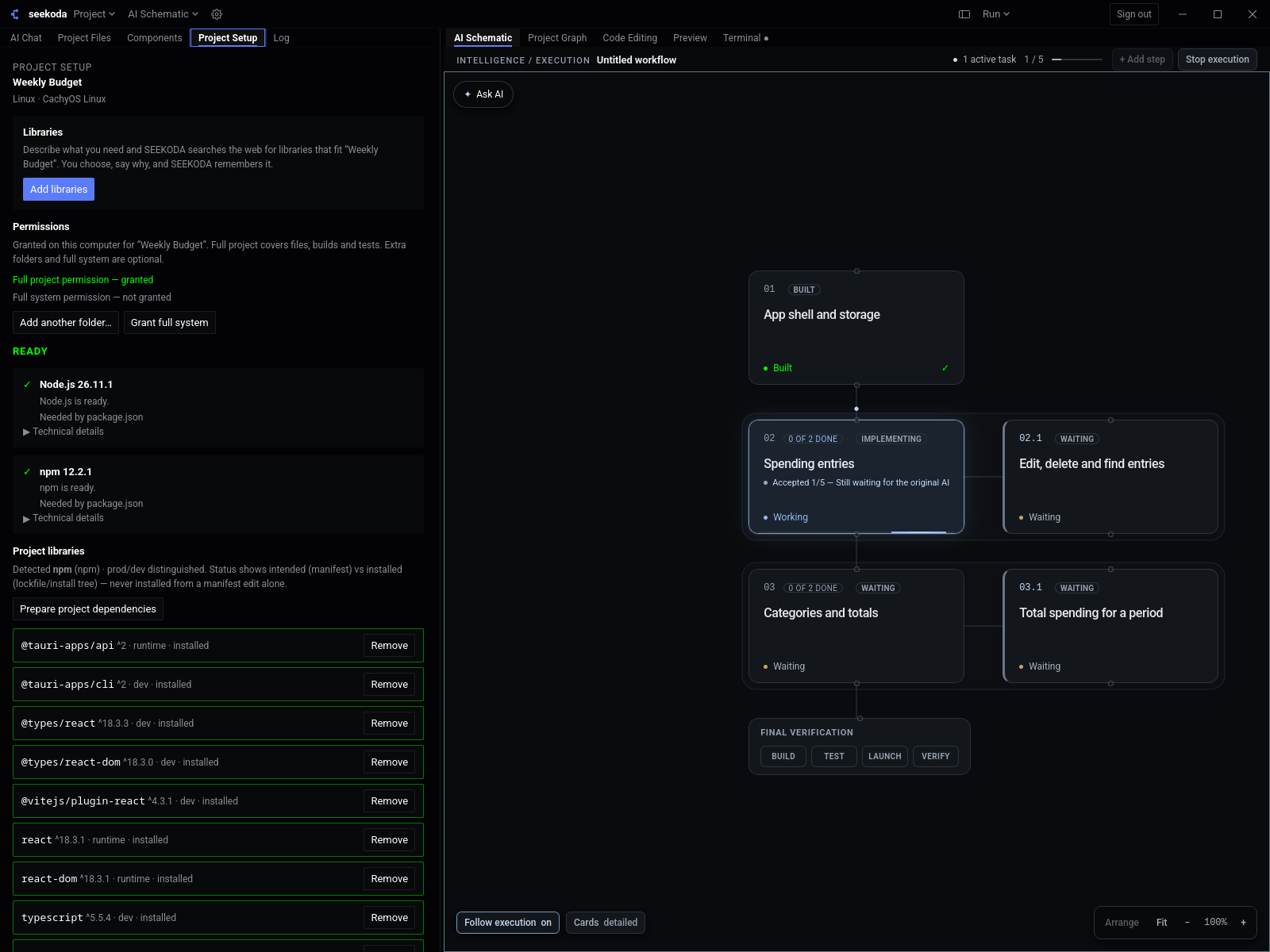
Connect the steps of software engineering in a visual process, with your local project at the center.
- 01
Make a place for your ideas.
Create your SEEKODA account and choose MINI, CORE, or PRO. Registration, subscriptions, and downloads start on this website.
- 02
Meet your desktop workspace.
Install SEEKODA on Windows, macOS, or Linux and sign in with the same account. Your projects and engineering tools live here.
- 03
Give the workflow a shape.
Open your project and design an AI Schematic. Nodes are agents and tools. Connections define the order of work and the flow of context.
- 04
Let the agents get to work.
Plan, research, code, build, test, and review. AI requests pass through SEEKODA Backend, which validates your account and capacity before calling the AI gateway.
- 05
Keep the project moving.
Review the output and keep building. If AI capacity runs out or a provider is unavailable, local editing, Git, builds, and non-AI tools remain available.
01 / Your workspace
Engineering on Desktop.
The AI Schematic, projects, files, Git, builds, and tests run in the native application on your machine.
02 / Your connection
AI through SEEKODA.
Use your SEEKODA account for secure inference through the backend. Company provider credentials stay on the server.
Make room for your next idea
WINDOWS / MACOS / LINUXYour next idea.
Starts here.
GET SEEKODA DESKTOPA connected workspace for the way you want to build.
Find your plan